



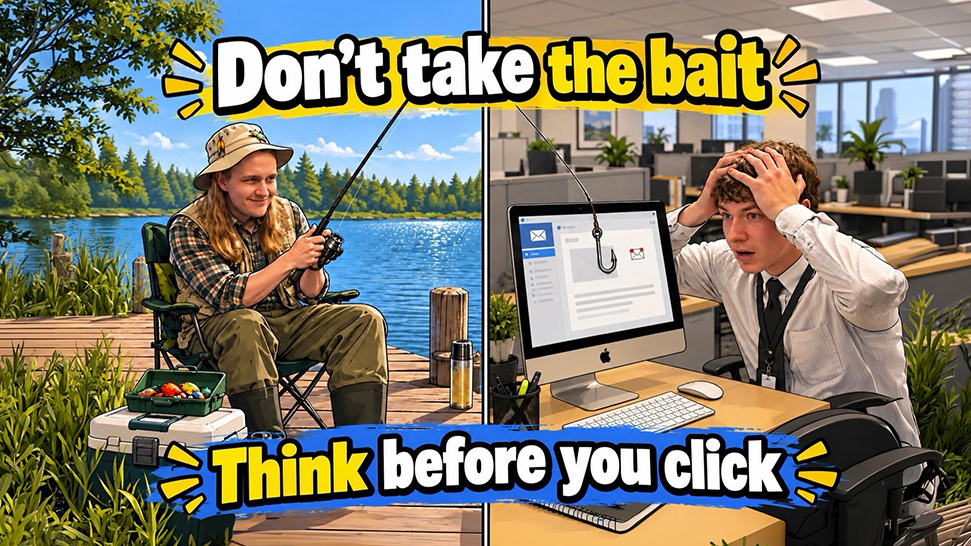
Phishing and Social Engineering
Phishing is one of the most common forms of social engineering, in which cybercriminals manipulate people into revealing information, clicking malicious links, opening attachments, or granting access to accounts and systems. Instead of attacking technology directly, social engineering attacks often target human behavior by creating trust, urgency, fear, curiosity, or a sense of authority.
Phishing attempts can arrive through email, text messages, phone calls, social media, or other communication methods. Attackers may impersonate someone you trust, such as a coworker, supervisor, financial institution, delivery service, or IT department. Some attacks are sent to thousands of people, while others are carefully targeted using information about a specific person or organization.
This week’s interactive KnowBe4 training will help you recognize phishing and social engineering techniques and understand how attackers use seemingly legitimate communications to influence your decisions. Learning to recognize these warning signs can help you stop an attack before it succeeds.
All the modules from KnowBe4 can be accessed until October 31st.
Phishing and social engineering basics:
- Watch for Urgency or Pressure – Messages demanding immediate action are designed to make you react before you have time to think. Slow down and examine the request.
- Check Who Is Really Sending It – Look closely at the sender's email address, not just the displayed name. Attackers may use addresses that closely resemble legitimate ones.
- Be Careful with Links and Attachments – Unexpected links or files can lead to fake login pages or malicious software. Hover over links when possible and verify where they lead before clicking.
- Verify Unexpected Requests – If a coworker, supervisor, vendor, or other trusted person makes an unusual request, contact them using a phone number, email address, or other method you already know is legitimate—not the contact information in the suspicious message.
- Protect Passwords – Never provide your password or approve an unexpected MFA request. A request for login credentials or verification codes should immediately raise suspicion.
- Don't Depend on Bad Grammar – Phishing messages can be polished, professional, and convincing. A message does not have to contain spelling mistakes or obvious errors to be malicious.
- Know the Different Forms – Phishing can include traditional email phishing, text-message phishing (smishing), and voice or phone-based phishing (vishing).
- Stop, Verify, and Report – If something feels unusual, don't interact with the message. Verify the request independently and report suspicious communications according to ATCC procedures. CISA recommends recognizing, reporting, and then deleting phishing messages rather than engaging with them.
Click here to see the interactive module.
Cyber Security FAQ
Malware can be classified into several different types of malicious software that can harm data, software or even hardware. Here are few common examples of malware.
- A computer virus is a type of malware that propagates by inserting a copy of itself into and becoming part of another program. It spreads from one computer to another, leaving infections as it travels.
- A trojan is a harmful piece of software that looks legitimate. Users are typically tricked into loading and executing it on their systems.
- A Bot is derived from the word "robot" and is an automated process that interacts with other network services. Bots often automate tasks and provide information or services that would otherwise be conducted by a human being.
Do people really get infected by these things?
On average, we have 3-5 employees each week who are affected/infected by malware.
Depending on the severity of the incident, these incidents may require mandatory reporting of a data breach which could cost the college a significant amount of money. At minimum, an infection involves loss of employee time and productivity. In many cases the computer must be quarantined, rebuilt or replaced, and there may be data loss. This can also impact you personally. If you do any personal finances on your work computer, your passwords may be stolen, or identity theft may occur.
- Do not open any email attachments that you are not expecting.
- Do not click on any links within email messages unless you are sure of their legitimacy.
- Pay attention to the website address when searching for information online and only go to websites that you are familiar with (look at the website address below the article title & make sure it is a reputable site).
- When in doubt of an email or website, contact the IT Department and we will check it for you.
SPAM is considered as unsolicited email from someone trying to sell you something. Phishing is the more extreme attempt to acquire sensitive and private information resulting in a more long-term effect of identity theft.
It should be a red flag if you receive an email that you don’t know and aren’t expecting. Be suspicious from that moment on. If the attachment has a generic name or has a double extension (ie: document.docx.exe), it is highly likely it is an infected attachment. If there is a link in the message and it is shortened with bit.ly in the URL, it may be going to a bad website. If you hover over the link or link button and you see several % symbols in the URL, beware. Often, unsafe messages have words misspelled or use an unusual dialect (i.e. – the word “kindly” is often used).
Here are some recommended tips to follow:
- Make sure you spell all words correctly. The number one thing that hackers count on is you misspelling words. They rely on this to manipulate you or direct you to websites that may also be infected with several tools to hack you. Check the spelling in the URL (website address).
- When “Googling” for information, pay attention to the website address and only click on the links to reputable sites. If it looks fishy, it probably is phishy. For example, if you search for Alexandria Technical & Community College, look at the website address below the site title and make sure the address is something you are familiar with, like alextech.edu, minnstate.edu, or facebook.com (and spelled correctly).
- The first defense is common sense. If a strange website is asking to run software on your computer, close out of the website by doing a CTL+ALT+DEL and choose the “Task Manager” option. Find the browser (Chrome, Edge, Internet Explorer) that you have open in the “Processes” tab and choose “End Task” immediately. Contact the IT department for further information.
We have instructions for Windows 7 & 10 on how to scan your computer on our IT webpage at https://www.alextech.edu/college-services/it-department/safety-information
Yes, your computer is still at risk. Anti-virus or anti-malware applications are not 100% foolproof and the hacker relies on you to fall for their attacks to acquire your information or data. However, any anti-virus software is better than none at all.
The first thing you should do is remove the app and see if the bizarre issues stopped. If you have an anti-virus installed, run a full scan. If you decide to install an anti-virus app on your mobile device, read the reviews and know what you are installing. Hackers often disguise their malware within these types of apps.
You should NEVER use the same passwords for all your different logins (i.e. – use a different password for your bank than you use for your social media and email). Using the same password allows a hacker the ability to easily gain access to several of your accounts if they obtain one of your passwords. It is also a best practice to change passwords every 90 -180 days. MinnState requires you to change your StarID password every 180 days (6 months). Never give out your password to anyone and never log into a computer with your credentials and let someone else use it. Many companies have policies against sharing passwords, including Minnesota State. 5.22.1 Computers and Information Technology Resources Acceptable Use
A passphrase is considered to be easier to remember than a password. A password generally is restricted to between 4-16 characters long, whereas a passphrase can be much longer. For some, a passphrase is less stressful for the user to remember yet much harder for a hacker to guess. Although not all environments support passphrases because they allow spaces in them, most current Operating Systems do support a passphrase. A password “bLuC@r1987” is easier for a hacker to guess than using “My first Blue Car was a 1987 Ford.”
Security questions will add a layer of security to your accounts. An ideal security question is something that only you know. Some users choose a security question answer that does not relate to the question. For example, “The Sound of Music” in response to “Your mother’s maiden name?” This can increase security, but you need to be careful to remember the answer. Although you may find it inconvenient to create and remember these security questions, it is very important. Having this second level of authentication is an excellent way to prevent unauthorized logins. Each time you log in from a new device, you will be asked one of the security questions.
If you enjoy having someone steal your identity, rob your bank account, hold your data for ransom, or intercept your tax returns, then clicking that “Remember Me” option is the perfect way to make a happy hacker! NEVER let a website remember your username and password. We have so many passwords today that it is hard to remember them all. Using a spreadsheet, notebook, the back of your family photo in your wallet, or a sticky note under your keyboard is a risky way to invite someone to easily acquire your private information. It’s no different than you dangling your car/house keys in the middle of a crowd for anyone to grab or keep your car title in the glove compartment in your car. There are apps out there that help you keep track of your account information and have layers of security. One of the applications that the ATCC IT Department supports is called KeePass. For more information about using KeePass to secure your passwords, contact us.